

Previewing and exporting
Use Preview to inspect how your lessons, screenshots, markers, and formatted instructions read before publishing. When ready, choose an export format and destination folder—Gradatimo generates the finished publication files without altering your .gradatimo source project.
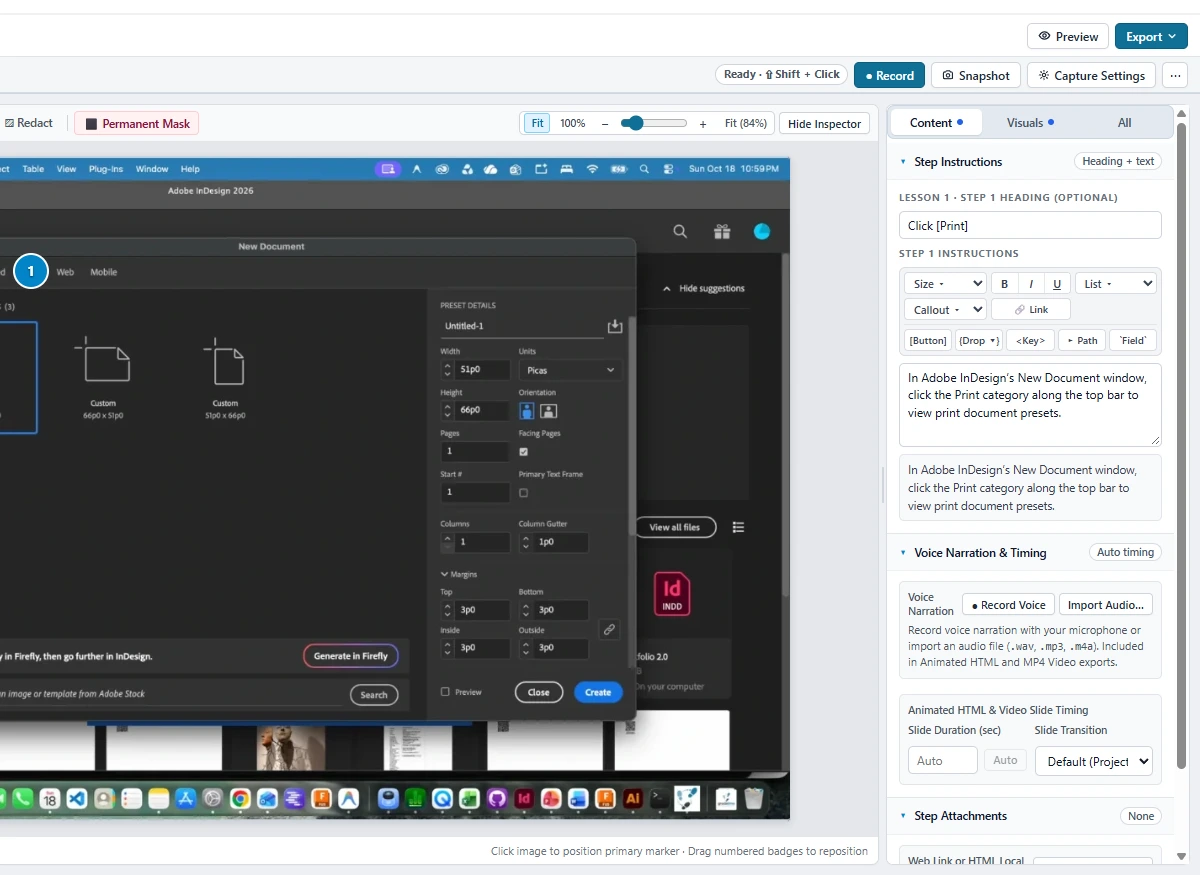
PDF guides, Unicode character support, and web QR codes
PDF exports produce structured, publication-ready documents that include cover pages, optional introductions, clickable tables of contents, lesson headings, numbered steps, formatted UI badges, headers/footers, and page numbers. Preset layouts include Readable, Compact, and Detailed, supporting Letter and A4 page sizes in portrait or landscape orientation. Full Latin-1 Supplement and Windows-1252 character support (0x80..=0xFF) ensures that accented European characters (é, ü, ñ, ç, ø), smart quotes, em/en dashes, and bullet symbols render accurately without box glyphs. You can also include an optional QR code on the cover, introduction, or final page that links printed handouts directly to an online version of the tutorial.
Standalone HTML guides
Gradatimo’s standalone HTML export packages your entire tutorial into a single, self-contained .html file. All screenshots, icons, and styling are embedded directly, so the document opens in any modern web browser without a network connection, web server, or external files. It includes responsive mobile-friendly layouts, step jump navigation, and full keyboard navigation—ideal for emailing directly to colleagues or archiving in regulatory binders.
Multi-lesson websites with built-in zero-dependency search
When publishing an extensive manual or multi-module curriculum, export a multi-lesson instructional website. Gradatimo builds a complete static website containing:
- Sidebar lesson & step navigation: Seamless switching between lessons and steps with visual progress indicators.
- Zero-dependency offline client-side search: Press
/orCtrl+K(Cmd+Kon macOS) to instantly search across all lesson titles, step instructions, and callout text. The search engine features substring matching, fuzzy scoring, highlighted<mark>results, and direct dropdown navigation—running 100% in the browser with zero external dependencies, even when loaded directly overfile://. - Bundled downloadable attachments: Local files and resources attached to steps are automatically organized in a dedicated
downloads/directory for one-click learner access.
Animated HTML presentations with slide transitions
For interactive classroom instruction or self-paced walkthroughs, export an Animated HTML Presentation ({slug}-animated.html):
- Interactive playback controls: Full player controls including Play/Pause, Next/Previous, Restart, Full-Screen, interactive timeline scrubber, and an Auto-Advance toggle.
- Slide transitions: Choose between Smooth Crossfade, Gentle Zoom & Fade, or Direct Cut transitions between steps, with customizable per-step duration and transition overrides.
- Sequential click animations: Watch numbered click markers animate onto the screenshot in numbered sequence (
1 → 2 → 3…) to clearly demonstrate multi-action workflows. - Flexible layout modes: Configure instruction placement Beside Screenshot, Below Screenshot, or as a Lower-Third Caption Overlay, complete with tutorial cover cards, lesson intro dividers, and completion end-cards.
Spoken voice narration with interactive waveform trimming
Explain procedures in your own voice. Gradatimo includes built-in per-step voice narration:
- Direct microphone recording & audio import: Record spoken explanations directly per step via your computer’s microphone or import existing audio clips (
.m4a,.mp3,.wav,.aac,.ogg,.webm). All audio is persisted inside the portable.gradatimocontainer as compressed mono 44.1 kHz AAC (.m4a, ~64 kbps). - Interactive canvas waveform trimmer: Drag visual start and end trim handles directly on the audio waveform to trim dead air or false starts before publishing. Trimming is non-destructive, preserving original audio in your project.
- 100% offline, zero AI or synthetic speech: Preserving strict privacy invariants, Gradatimo never uses cloud services, AI text-to-speech synthesis, or external voice APIs. Narration is always recorded by the author or imported from verified local audio files.
Native MP4 instructional video export
Export full instructional MP4 video tutorials (1080p 1920×1080 or 720p 1280×720) generated directly from your still screenshots, written instructions, animated markers, and synchronized trimmed voiceover narration:
- Self-contained native encoding: Encoded natively using Windows Media Foundation COM APIs on Windows and AVFoundation on macOS—no FFmpeg, PowerShell compilation, or external third-party software required.
- Professional tutorial pacing: Features automated cover title slides, lesson transition cards, smooth frame pacing, animated click markers, and completion end-cards ready for upload to internal learning portals, YouTube, or video hosting platforms.