Home›Examples
Interactive Demonstration

A good guide makes
the next step obvious.

Step through this interactive concept demonstration to see how numbered click markers and formatted interface badges guide a reader through a workflow.

Interactive Concept Demo · Lesson 1: Setting Up Your PortfolioWebsite Demo Player
Building Your Artist Portfolio in Adobe InDesignStep 1 of 5
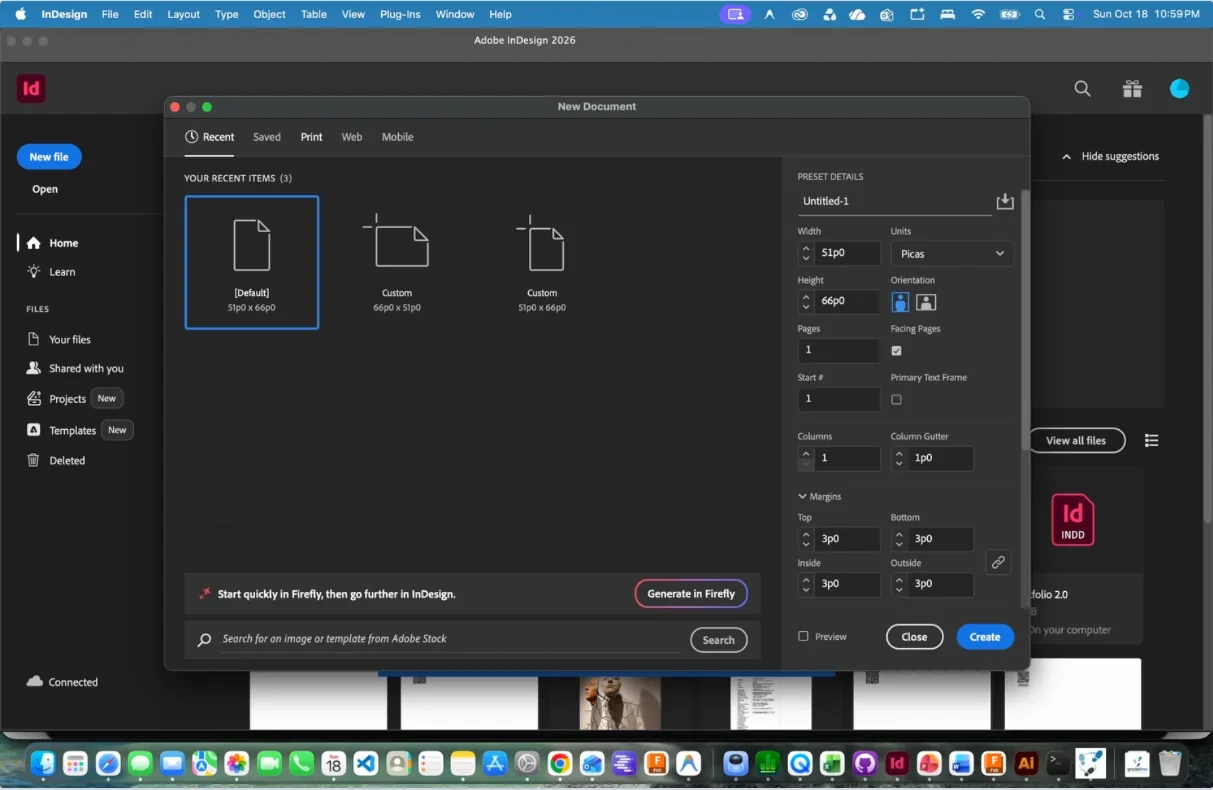
Captured Adobe InDesign New Document dialog showing Print tab, Units dropdown, Orientation icons, and Create button
1. Click Print

In Adobe InDesign’s New Document window, click the Print category along the top bar to view print document presets.

Click the blue marker or use arrow keys to advance
About this demonstration: This interactive walkthrough was custom-built for the website to illustrate how Gradatimo combines numbered click markers with semantic UI badges ([Print], {Units}, ▸). It currently uses a single placeholder screenshot while our multi-lesson sample tutorial is being finalized. In an actual Gradatimo pre-click recording session, each step captures the exact interface state—such as an open dropdown menu or active setting—immediately before the click changes the screen.
One Tutorial · Multiple Outputs

One source project. Every publication format.

Gradatimo is designed so you can author a tutorial once in a .gradatimo project and publish it across multiple formats. As our complete reference tutorial is finalized, genuine untouched application exports will be available to inspect and download below.

01 · Source Project Workspace Preview screenshot

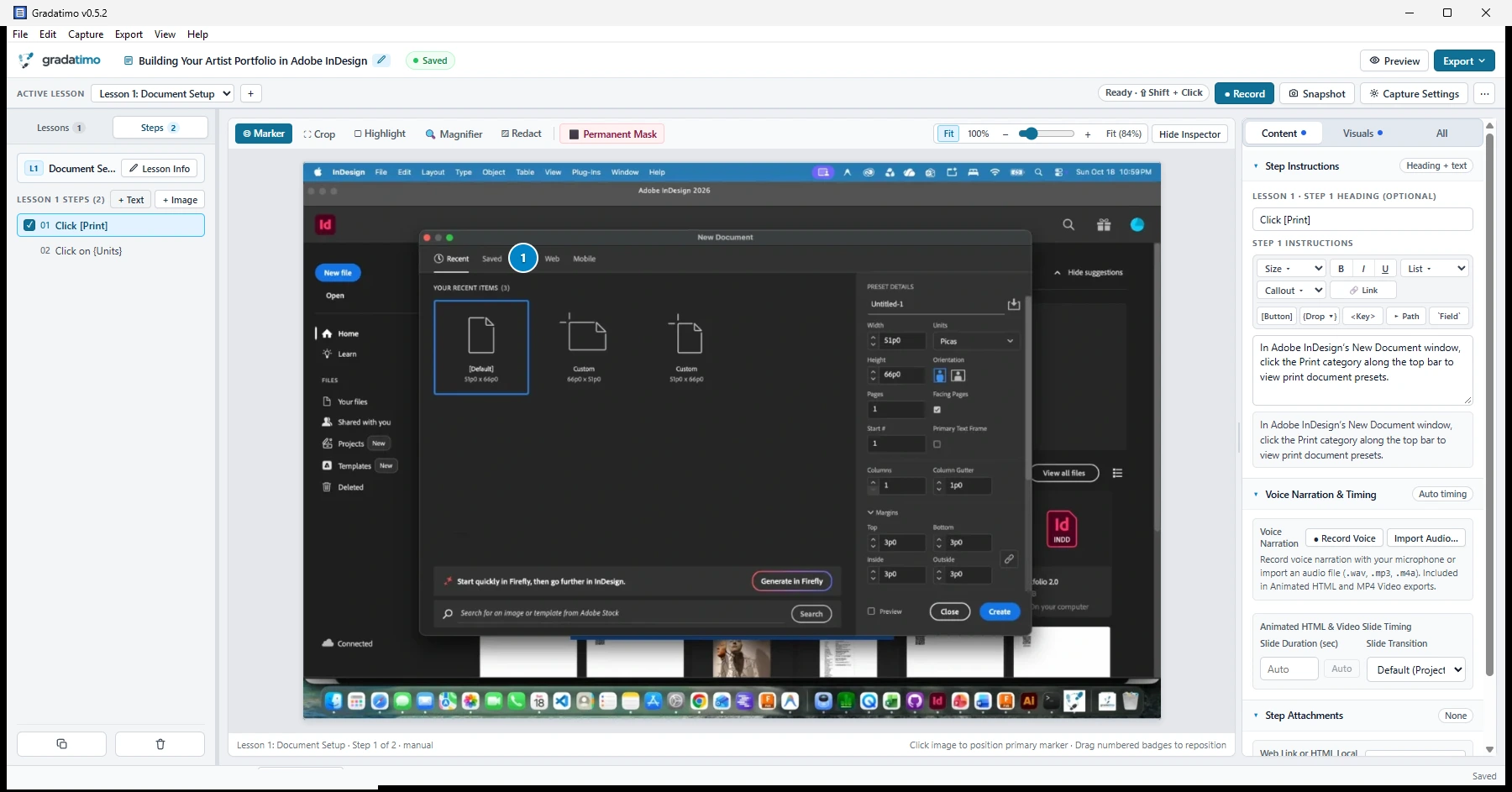
Editable project inside Gradatimo

Every publication starts in the three-pane desktop editor: lessons and ordered steps on the left, non-destructive screenshot annotations in the center, and formatted instructions with attachments on the right.
Source format: .gradatimo project file Click screenshot to inspect ⤢
Editable tutorial project open inside the Gradatimo desktop workspace
Export format available
02 · Print & Handout Output

Downloadable PDF guide

A structured PDF publication generated directly by Gradatimo—complete with a cover page, clickable table of contents, lesson headings, numbered screenshots, formatted UI badges, and an optional QR code linking to the web version.

Output: .pdf document Sample file pending finished tutorial
Export format available
03 · Single-File Web Output

Standalone HTML tutorial

A self-contained HTML document generated by Gradatimo that opens in any standard web browser—online or offline—without requiring recipients to install Gradatimo or rely on external hosting.

Output: Self-contained .html Sample file pending finished tutorial
Export format available
04 · Multi-Lesson Web Output

Complete instructional website

An organized, navigable multi-lesson website exported by Gradatimo, complete with lesson navigation, step screenshots, formatted directions, and bundled downloadable starter files ready for your own domain or LMS.

Output: Multi-page site + downloads/ Live sample pending finished tutorial
Available in beta
05 · Motion & Audio Outputs

Animated HTML & MP4 video

Publish the same .gradatimo project as an interactive animated HTML presentation (with play/pause, step scrubber, and sequential click markers) and as an H.264 MP4 video with optional voiceover narration.

Outputs: Animated .html & .mp4 Included in desktop beta
Make knowledge visible

Make it once.
Teach it clearly.

Capture, refine, and organize instructions in one place. Publish the guide that fits your audience.