

The details make
the difference.
Everything in Gradatimo is built around one goal: make the next action obvious. Capture the right screen state, format the explanation clearly, and organize lessons that scale.
A screenshot before the screen changes.
An instruction loses clarity the moment a menu closes or a dialog disappears. Gradatimo’s automatic pre-click capture records the screen right before your click takes effect, keeping the target control visible.
- Automatic pre-click capture (
Shift + Click) with local accessibility auto-titling: Records menus, dropdown lists, and dialogs before they close, queries the local OS accessibility tree (Win32 UIA and macOS AXUIElement) to auto-populate default titles (Click [Save],Select {File}) while suppressing password fields, and records exact click coordinates - Active-cursor multi-monitor capture: On macOS, automatically identifies the display currently under the cursor for seamless multi-monitor recording sessions
- Manual snapshots: Capture static windows, overview screens, or intermediate states whenever you choose without running a recording session
- Image import: Bring in existing photographs, diagrams, and reference illustrations to document studio crafts, hardware setup, or classroom procedures
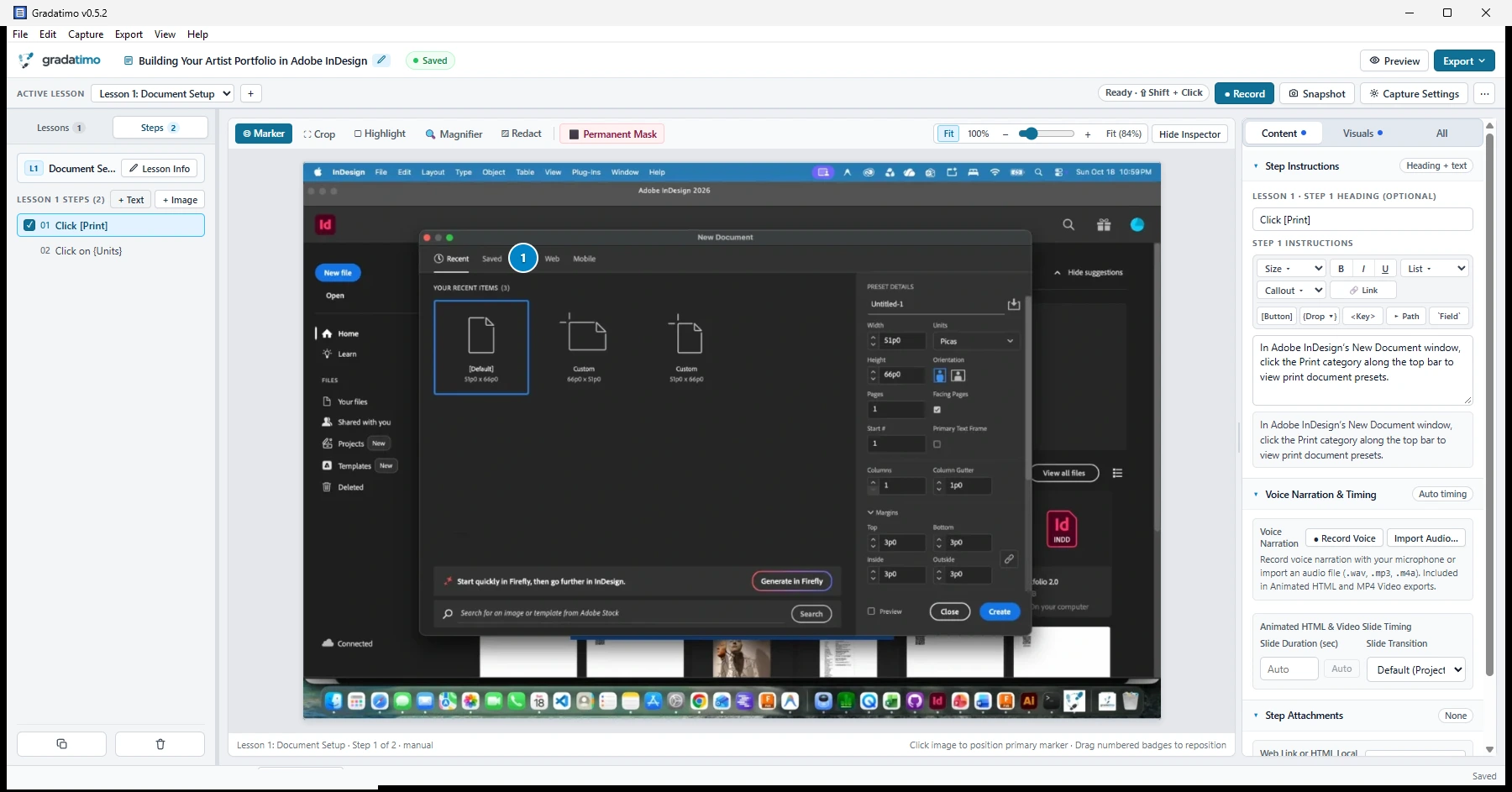
Clear callouts without a separate image editor.
Direct the reader’s eye with single or numbered click markers, global or per-step cropping, highlights, magnified detail insets, and permanent pixel masking.
- Interactive 8-point resize handles & free repositioning: Click any highlight box or redaction overlay to select it, drag to reposition within normalized coordinates, adjust dimensions via 8-point resize handles (
nw, n, ne, e, se, s, sw, w), nudge with arrow keys, or delete out of order (Delete/Backspaceor×) with full undo/redo history - Click markers & numbered sequences: Place a single marker or combine related actions onto one screenshot with ordered markers (
1,2,3) - Magnification & cropping: Trim unneeded desktop clutter and create zoomed-in detail callouts (
1.5×to4×) so small labels and icons stay readable - Visual redaction & permanent masking: Use
Redactfor adjustable overlays, orPermanent Maskto replace the underlying pixels in your project’s source and derived images
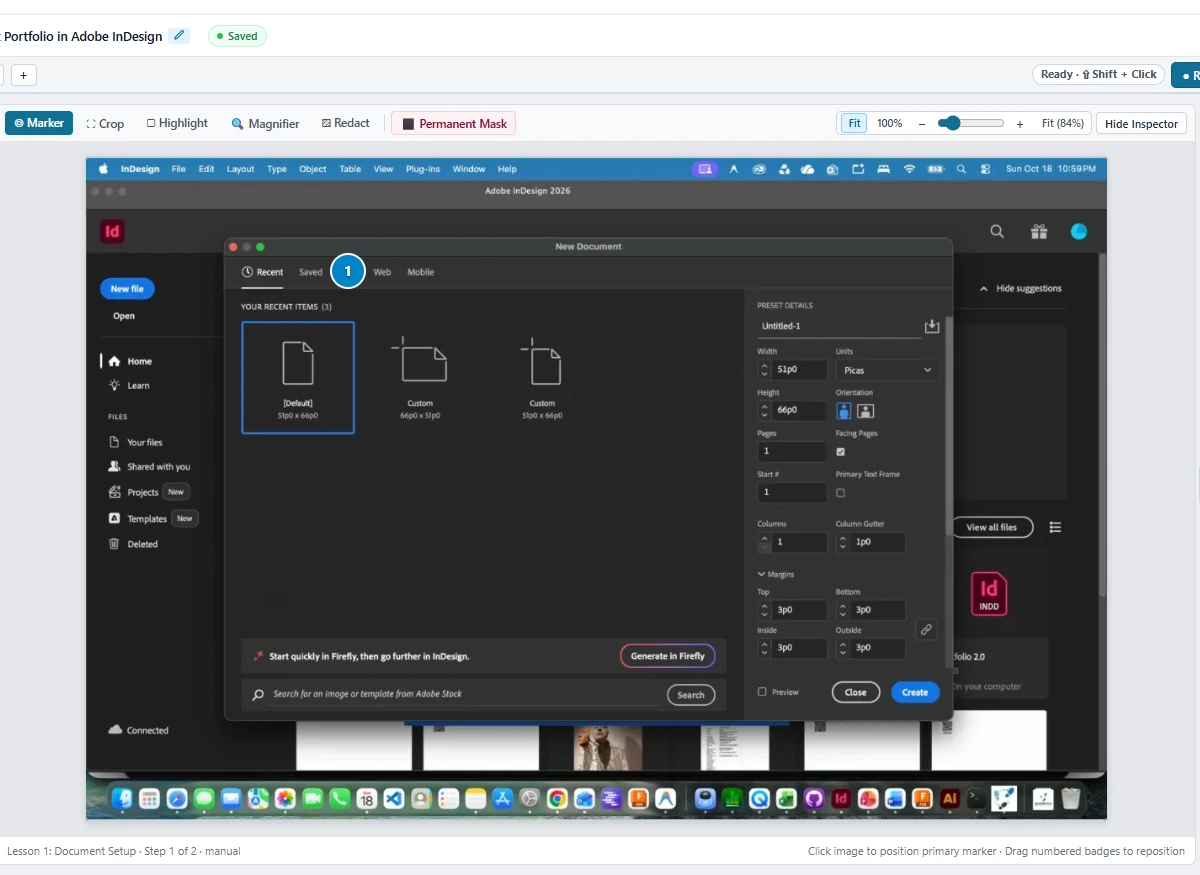
Turn plain written instructions into formatted interface directions.
In ordinary paragraphs, button names and menu commands blend into surrounding prose. Gradatimo converts simple bracketed notation—or one-click toolbar actions—into visual interface badges across the live preview and published guides.
[Create]Create{Units}Units ▾<Shift+Click>Shift+ClickFile ▸ ExportFile ▸ Export`8.5 in`8.5 in> [!NOTE]Note: Callout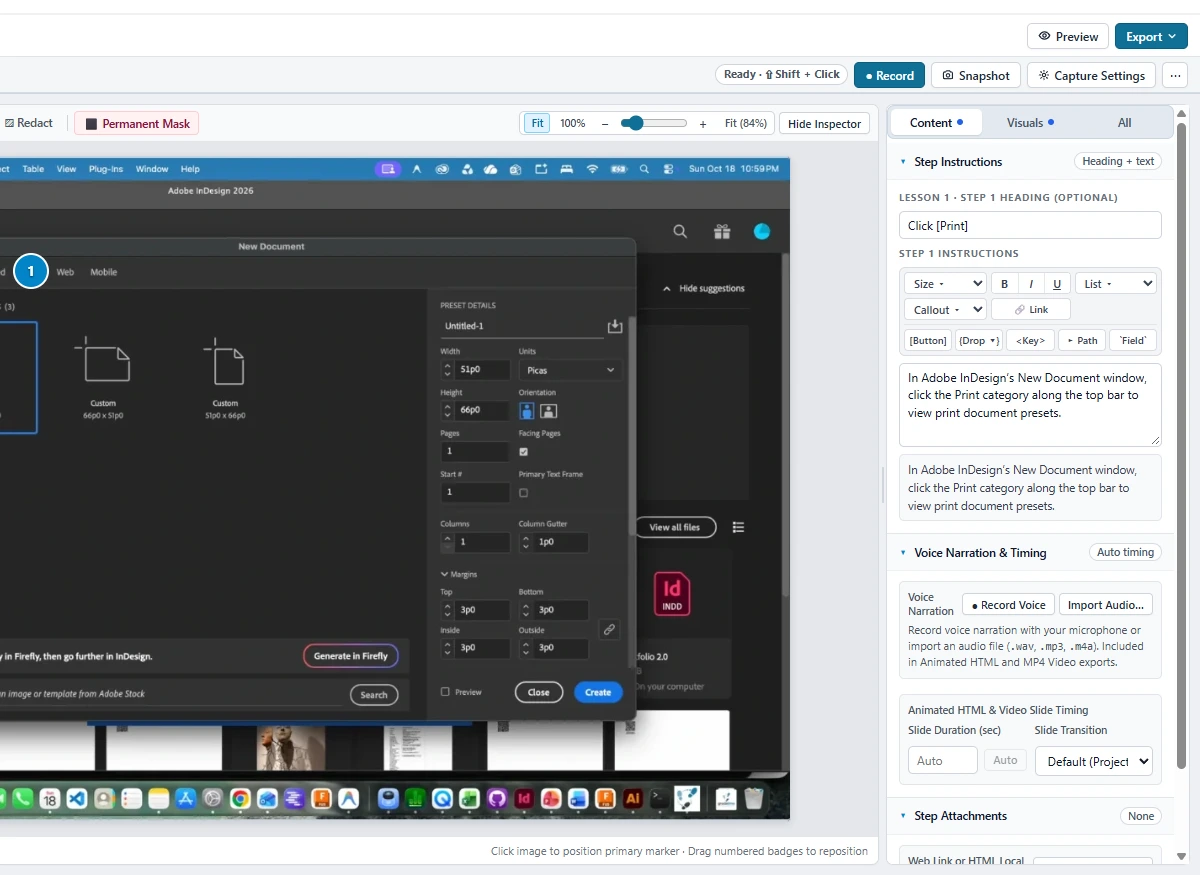
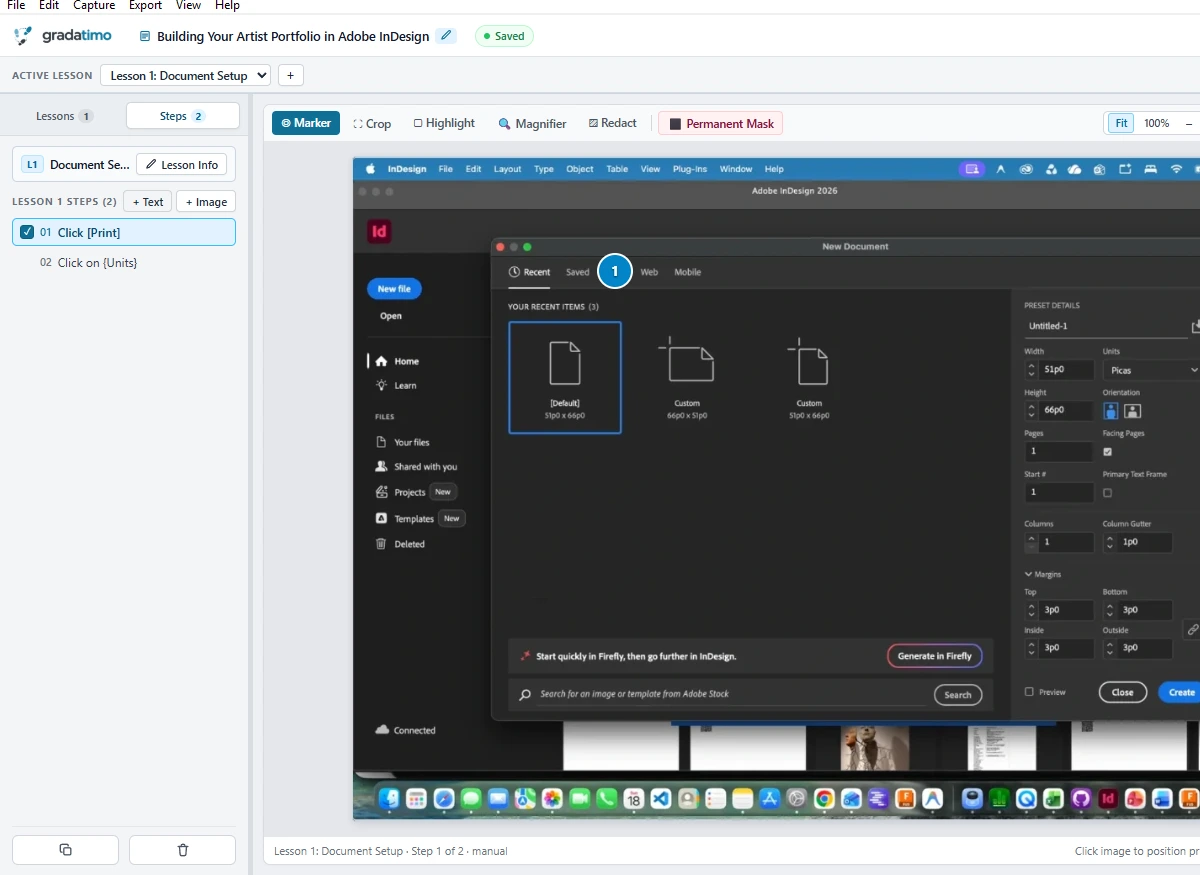
Organized from a single procedure to a complete manual.
Every project follows a clear Tutorial → Lesson → Step hierarchy. Combine screenshot steps with text-only introductions, checklists, and downloadable attachments.
- Image & text-only steps: Add
+ Imageor+ Textsteps anywhere in a lesson for prerequisites, warnings, or conceptual overviews - Flexible reorganization: Reorder steps, combine related actions into a single numbered step, or move steps between lessons without rebuilding
- Step attachments: Attach external web links (supported in PDF and HTML exports) or local starter files (bundled into HTML/website exports)
Publish the format that fits your audience.
Gradatimo stores your editable tutorial in a single .gradatimo project file, keeping your working source separate from exported deliverables. Here is how Gradatimo’s five publication formats are organized:
PDF guides
Publication-ready PDF documents with cover pages, optional introductions, clickable tables of contents, numbered steps, page numbers, Latin-1/Unicode character support, and an optional QR code linking to an online version.
Single-file standalone HTML
Export a self-contained, zero-dependency HTML document with responsive layout, embedded images, keyboard navigation, and complete offline portability over file:// or web servers.
Multi-lesson websites with search
Complete multi-lesson instructional website with sidebar navigation, downloadable step attachments, and a built-in zero-dependency offline client-side search engine (/ and Ctrl+K).
Animated HTML presentations
Interactive animated presentations with slide transitions (crossfade, zoom, cut), interactive playback scrubber, sequential animated click markers, and synchronized author voiceover narration.
Instructional MP4 video export
Self-contained 1080p and 720p H.264 video with AAC audio encoded natively via Windows Media Foundation and macOS AVFoundation, featuring title slides, lesson dividers, animated markers, and author voice narration.
Make it once.
Teach it clearly.
Capture, refine, and organize instructions in one place. Publish the guide that fits your audience.