

Clear Instructions for
Screen and Hands-On Tasks.
From classroom software handouts to full employee job manuals and tangible equipment guides, Gradatimo turns complex multi-step processes into clear, visual documentation.
Step-by-step guides for students and trainees through complex computer processes.
Teachers, professors, lab instructors, and workshop facilitators often need to guide learners through intricate desktop software—from creative suites and CAD tools to data analysis programs and development environments.
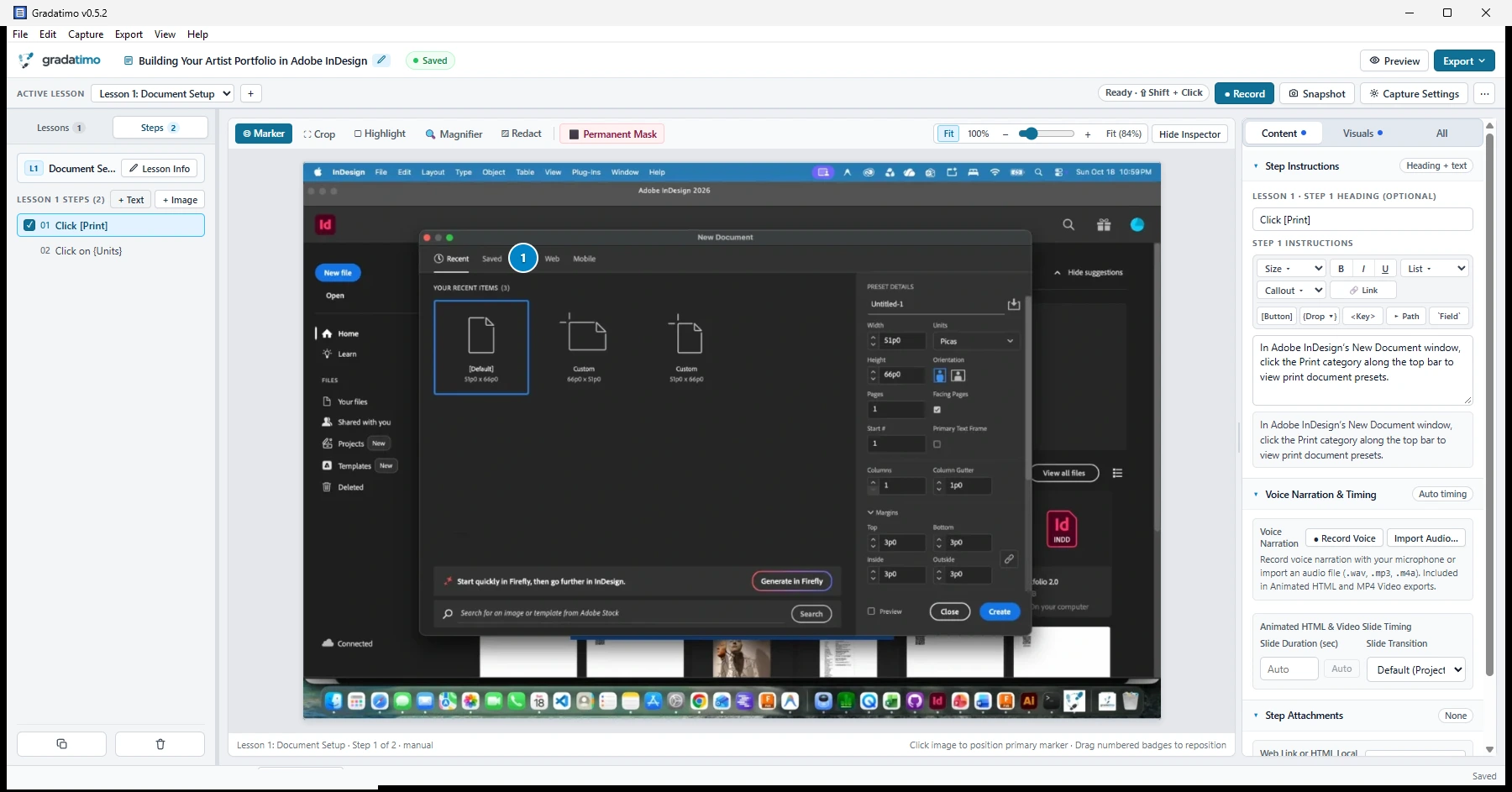
When students get lost, it is usually because an ephemeral dropdown menu disappeared, a key shortcut was omitted, or an interface button was impossible to locate in a busy window. Gradatimo captures the exact pre-click state so transient menus remain fully visible, while local accessibility inspection automatically labels buttons and options without requiring tedious manual typing.
Authors can draw high-contrast highlight boxes, numbered sequences (1, 2, 3), and magnified inset callouts to direct student attention directly to critical interface controls.
- Pre-click menu capture: Circular frame buffer captures screen state immediately prior to click events, preserving open dropdowns, flyout palettes, and context menus.
- Semantic UI notation: Format instructions with structured badges (
[Save],{Dropdown},<Key>,▸, and`Field`) automatically derived from local OS accessibility element labels. - Print-ready PDF handouts: Generate polished PDF documents complete with cover titles, tables of contents, formatted steps, page numbers, and optional QR codes linking directly to companion resources.
Comprehensive standard operating procedures with instant offline search.
Operations teams, department leads, IT administrators, and technical writers build complete documentation for software programs, role onboarding, and multi-department company workflows.
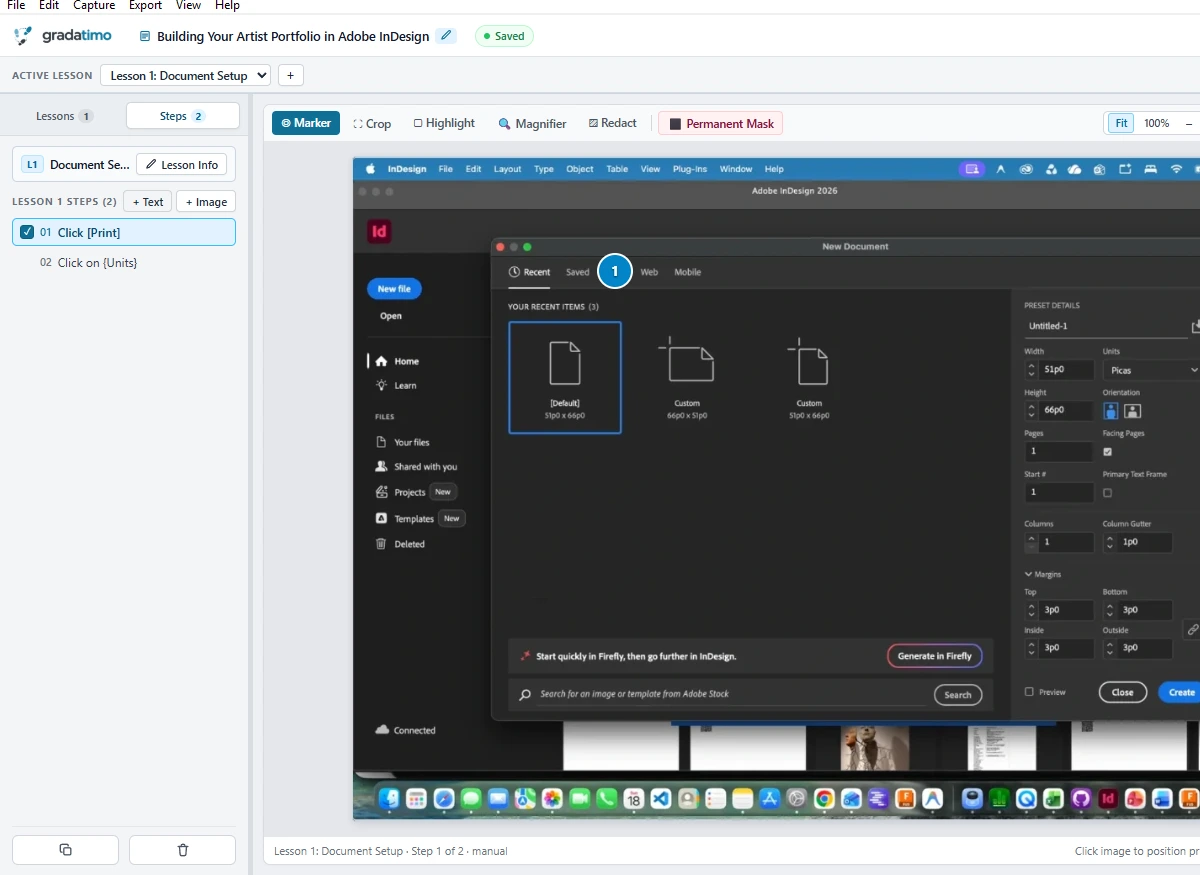
Single-page documents quickly become unwieldy when documenting multi-stage business systems like ERP suites, database migrations, or financial ledgers. Gradatimo structures comprehensive runbooks using a clean hierarchy: Tutorials divide into Lessons, and Lessons contain individual Steps.
Authors can mix captured screenshots with conceptual text-only steps (+ Text) for prerequisites, warnings, and architectural overviews, and attach downloadable files or templates (+ Attachment) directly to any step.
- Multi-lesson website exports: Export comprehensive documentation sites with responsive sidebar navigation, lesson progress indicators, and embedded step resources.
- Instant offline search: Built-in zero-dependency search engine lets readers press
/orCtrl+Kto instantly filter and jump across all lessons and steps, operating entirely in-browser overfile://protocol or local networks without any web server. - Portable single-file projects: Projects are saved in an open SQLite container (
.gradatimo,PRAGMA application_id = 0x47524454), making version control, team backups, and network-drive sharing effortless.
Import photos of tangible workflows for hands-on equipment and physical tasks.
Not every crucial procedure happens inside a computer monitor. Laboratory protocols, hardware assembly, machinery maintenance, studio crafting, and field operations require clear instructional guides for tangible physical tasks.
Gradatimo lets authors import high-resolution smartphone and camera photos (+ Image in PNG, JPEG, or WebP up to 100 MB) alongside desktop screenshots into the same unified tutorial.
Annotate real-world photographs with the exact same precision tools used for screen captures: drop numbered sequence badges onto switches and cables, draw zoom insets on small components, and record spoken voiceover narration step by step with the built-in microphone tool and waveform trimmer.
- External photo import: Seamlessly import camera photos up to 100 MB with automatic SHA-256 asset deduplication inside the project container.
- Step-level voiceover narration: Record spoken instructions directly from your microphone with non-destructive waveform boundary trimming to explain physical techniques clearly.
- Workshop-ready formats: Publish laminated PDF bench guides, interactive animated slide decks, or 1080p MP4 videos with synchronized voiceover narration for training stations.
Clear visual documentation.
Zero subscription cost.
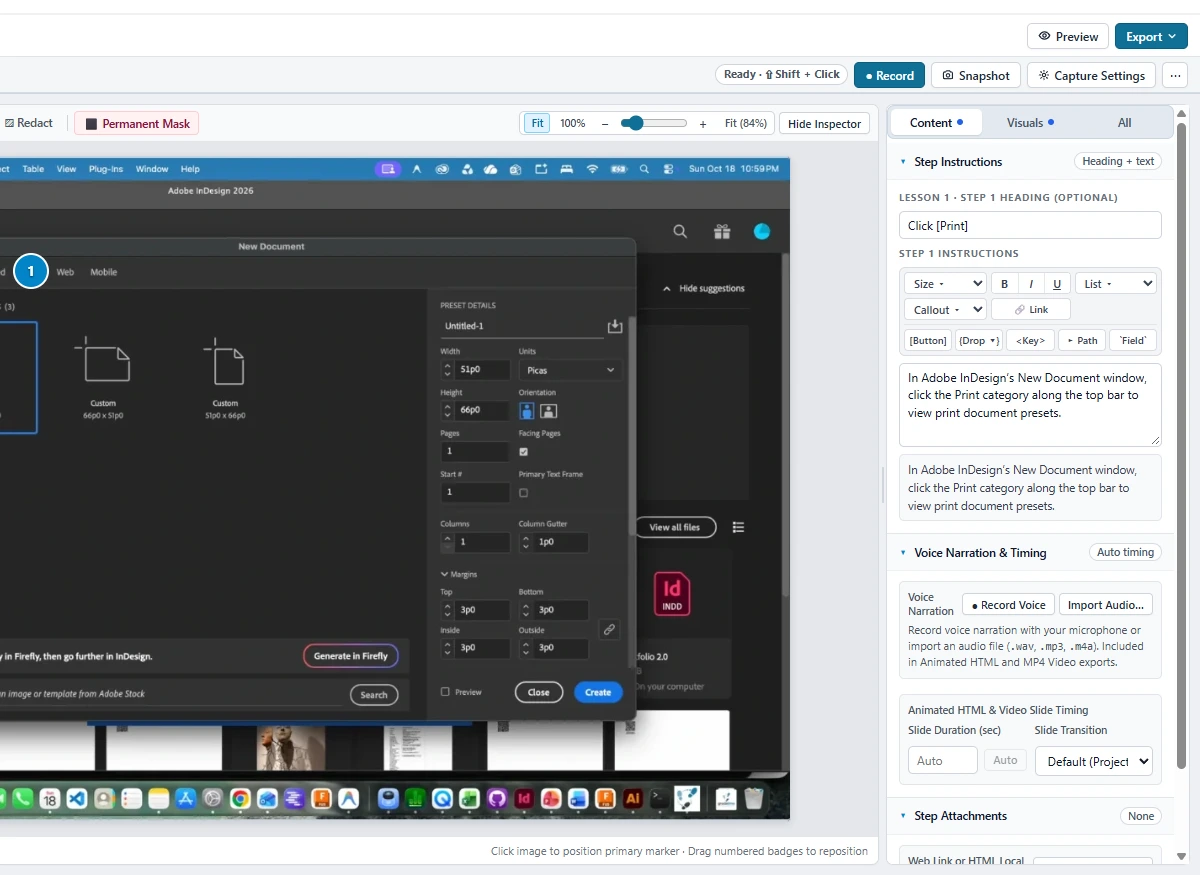
Capture screen workflows, import physical photos, and organize comprehensive guides. 100% offline, local-first, with all 5 export formats included free.