

Capture what you do.
Show how it’s done.
Turn complex procedures into clear, visual guides. Capture actions right before the screen changes, format interface directions clearly, and publish tutorials from one portable project.
Free for personal, educational & commercial use Local-first No account required
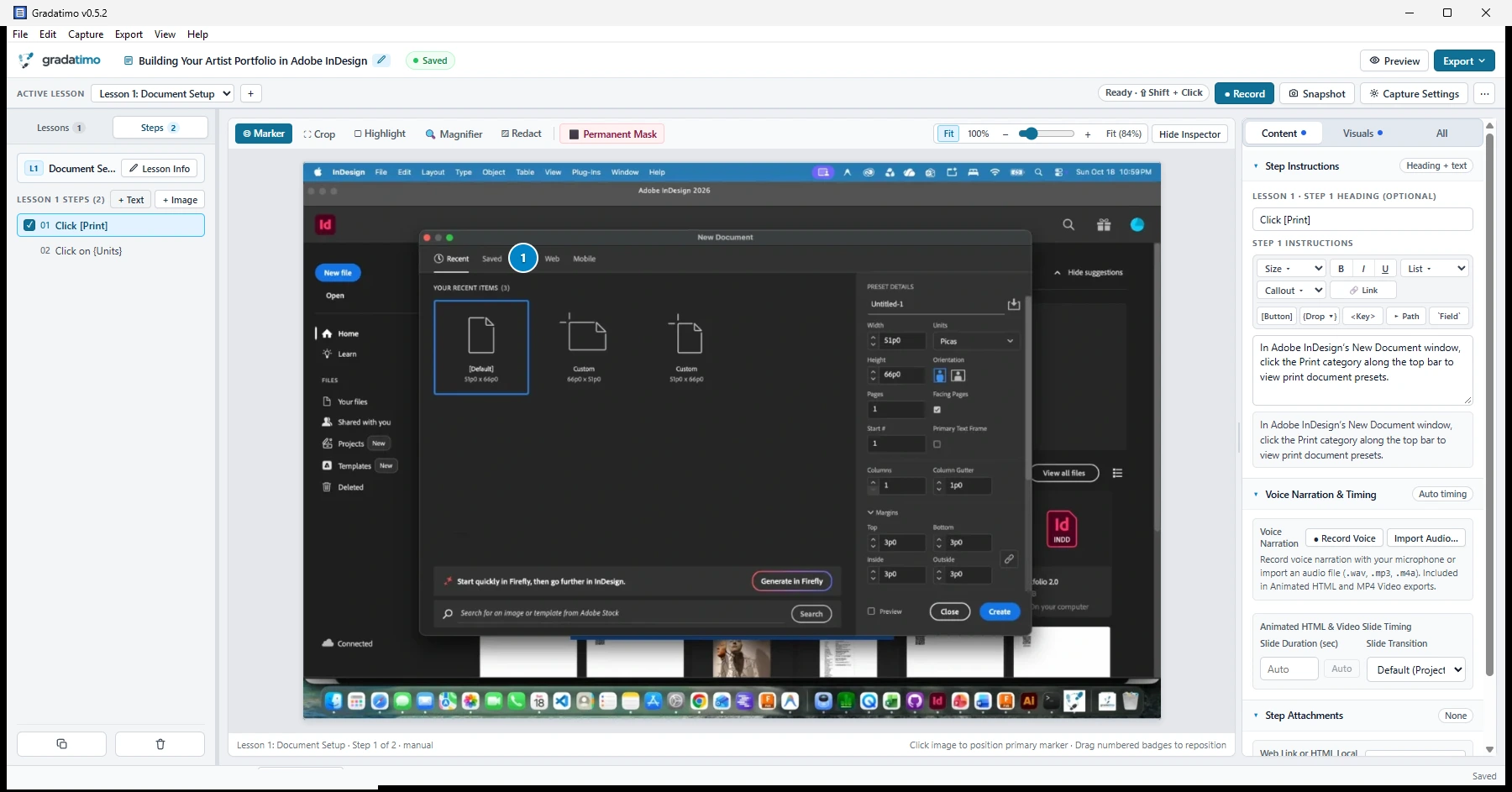
From the first click to the finished guide.
Instead of juggling separate screenshot tools, image editors, and document layouts, move from recording to publication in one workspace.
Gradatimo records the screen state right before your click closes a menu or changes a dialog, and also supports manual snapshots and imported photographs.
Small details.
Clearer instructions.
Practical tools for showing not only what to do, but where to look and which control to select.
Complex tutorials.
Simple organization.
Organize work as Tutorials → Lessons → Steps. Combine screenshot steps with text-only introductions or prerequisites, duplicate or reorder steps, and move instructions between lessons as your guide grows.
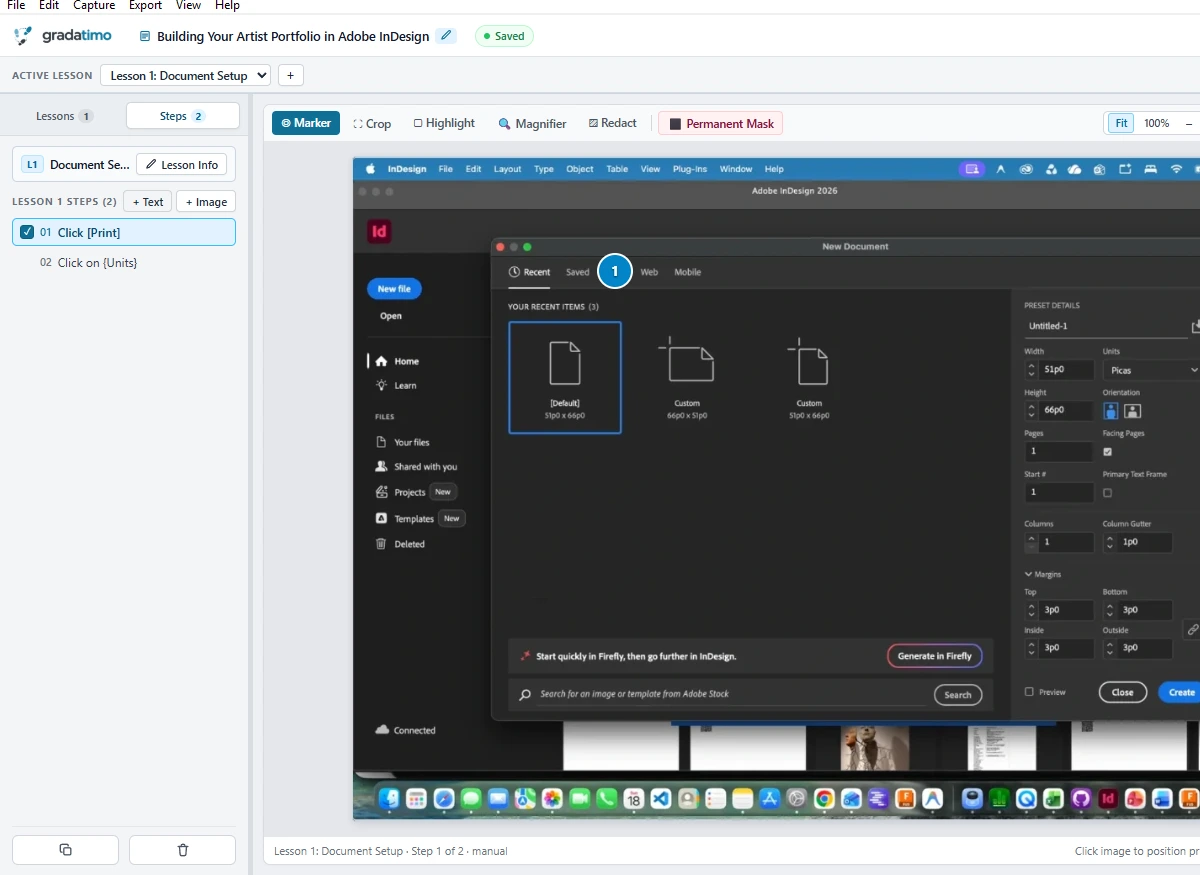
Write plain text.
Format interface directions.
Distinguish ordinary prose from buttons, dropdowns, menu paths, and keyboard shortcuts. Click a token below or edit the instruction directly:
Your knowledge.
Your computer.
Save your editable work in a portable .gradatimo project file and choose when and where to publish—with no mandatory cloud processing or account wall.
✓ Permanent pixel masking for sensitive areas
✓ Free to use with no subscription
✓ Independent PDF, HTML, Web, Animated & Video publishing
Capture the control before the menu closes.
Automatic pre-click recording captures the screen right before a click changes what is visible and places a numbered marker at the target. Refine any image with crops, highlights, magnified details, or permanent masking.

See how a step-by-step
lesson guides the reader.
Explore the five-step Adobe InDesign concept demonstration right in your browser.
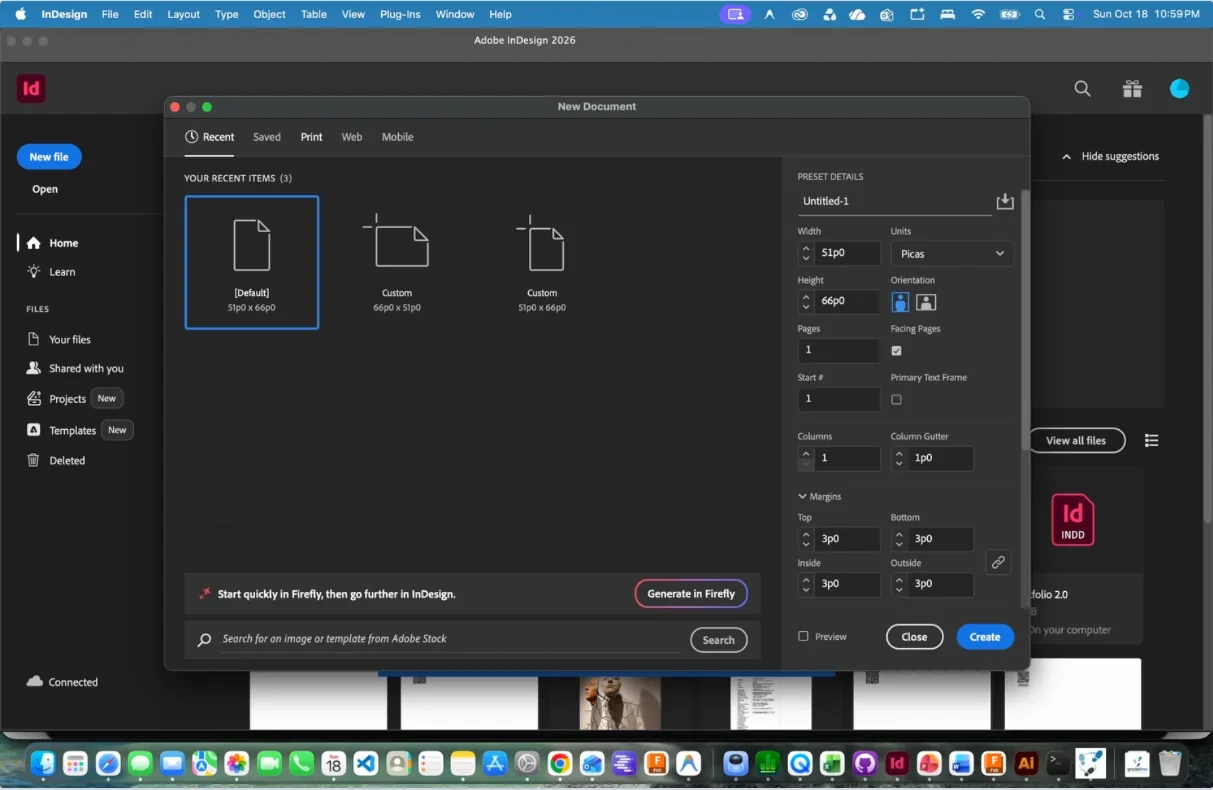
Make the next step obvious.
Step through the instructions with your mouse or arrow keys, watch the numbered marker move to each target control, and see how formatted interface badges separate UI controls from surrounding prose.
Open the interactive demonstrationPowerful tools.
No strings attached.
Everything you need to capture, annotate, organize, and publish instructions—free to use, local-first, and independent.
| Workflow area | Gradatimo | Cloud-based capture services | Manual screenshots & documents |
|---|---|---|---|
| Cost & accounts | $0 / year (Free for commercial use); unlimited seats, unlimited guides; no account or subscription required | Per-seat subscriptions for 5 seats range from $240/yr (Snagit Business) to $780/yr (Scribe Pro Team), $900/yr (Tango Pro Team), and from $6,000/yr (ScreenSteps platform starting fee); Gradatimo is $0 | High ongoing internal labor hours; manual assembly and maintenance overhead |
| Capturing actions | Automatic pre-click capture for both desktop apps & browsers included free, local accessibility auto-titles (Click [Save]), manual snapshots, and imported photos |
Centered on browser tabs on free tiers; native desktop app capture paywalled to paid subscriptions ($13–$25/mo) | Requires manual screenshot capture, cropping, and pasting for each step |
| Interface directions | Semantic UI formatting turns [Button], {Option}, <Key>, ▸, and `Field` into clear badges |
Automated cloud captions that often require manual editing for complex interfaces | Requires manual bolding or custom styles for every button and menu path |
| Privacy & redaction | Destructive local raster replacement + SQLite VACUUM on your computer before any export leaves the machine; zero cloud transmission |
Unredacted captures transmitted to cloud servers first before cosmetic blur overlays are applied in web portal | Requires flattening redactions in a separate image editor before inserting |
| Data residency & offline privacy | 100% offline desktop application, zero network sockets, zero telemetry, local file storage | Multi-tenant cloud hosting, external database storage, cloud vendor audit requirements | Disorganized local documents, high risk of unredacted screenshots stored in shared drives |
| Project ownership & publishing | Portable .gradatimo project files; all 5 formats included free (PDF, Single HTML, Multi-Lesson Website with search, Animated HTML, MP4 Video) |
Projects live inside provider’s cloud portal; PDF/HTML exports paywalled or watermarked on free tiers | Separate image files and document layouts that must be updated individually |
Don’t rebuild it.
Republish it.
Keep your editable source in a single .gradatimo file and generate the format that fits your audience.
PDF guides
Structured, print-ready documents with cover pages, tables of contents, formatted steps, and optional web QR codes.
AvailableHTML & websites
Standalone HTML guides for offline reading or complete multi-lesson websites with downloadable attachments.
AvailableAnimated HTML
Step-by-step slide transitions, animated click markers, and interactive playback controls.
Available in betaNarration & MP4 video
Per-step spoken voiceover narration and instructional MP4 video generated from the same project.
Available in betaMake it yours.
Keep it yours.
Your tutorials, screenshots, and written explanations are your work. Gradatimo stores projects locally on your computer without mandatory cloud processing, required accounts, or recurring subscriptions.
.gradatimo project documentsTeach anything.
To anyone.
Built for teams, educators, and creators who need clear visual instructions without cloud lock-in.
Class Handouts & Labs
Walk students and trainees through complex computer interfaces with clear click badges, semantic tokens, and printable PDF guides.
Full Program & Job Manuals
Organize comprehensive multi-lesson operating manuals with conceptual text steps, attachments, and instant offline client-side search.
Hands-On & Equipment Guides
Import photos of physical equipment, tools, and hardware setups to build clear step-by-step tutorials for real-world tasks.
Technical Teams & Authors
Create repeatable setup instructions, system runbooks, and multi-format documentation from a single source project.
Make it once.
Teach it clearly.
Capture, refine, and organize instructions in one place. Publish the guide that fits your audience.